
The Brand Message Playbook: How to Create a Brand Style Guide for Your Small Business
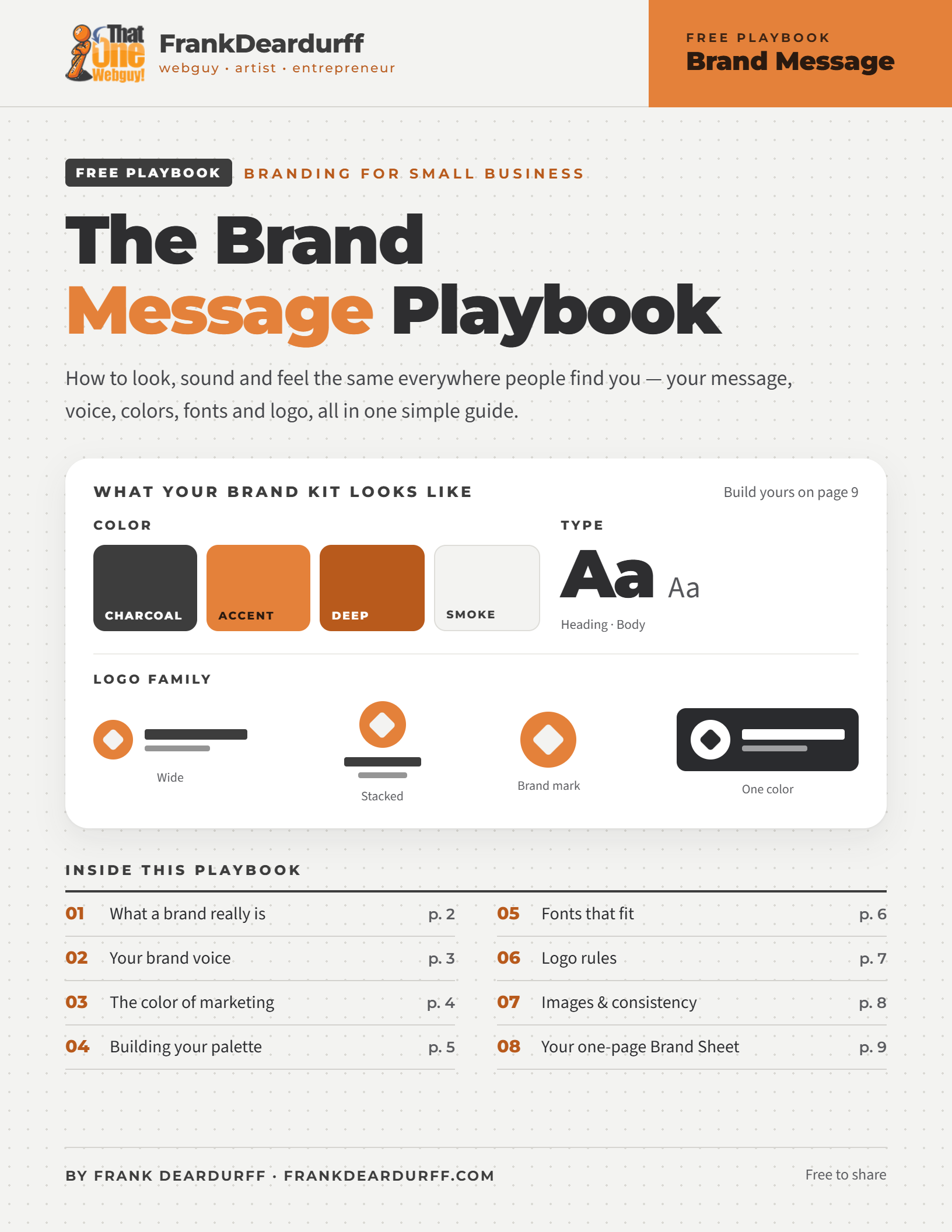
Free 9-page playbook · branding for small business
How to look, sound and feel the same everywhere people find you. Define your brand message and voice, choose colors that say the right thing, pick fonts that fit, build a logo family that works everywhere from your website to an embroidered hat, and put it all in a one-page brand style guide you can fill in today.
Download the free PDFYour brand is a promise, not just a logo
Your brand is what people expect every time they see your name: on your website, a business card, a Facebook post or the back of a t-shirt. When it looks and sounds the same everywhere, people recognize you faster and trust you sooner. A brand style guide is the playbook that keeps it that way, for you and for anyone who designs or writes for you.
Message
Why you exist and what you stand for.
Voice
How you sound when you talk and write.
Look
Your colors, fonts and logo.
Images
The photos and graphics you use.
Start with your mission, values and one-line brand message
- Mission: one or two sentences on why your business exists. For example, “We believe in making healthy living easy and affordable.”
- Core values: 3 to 5 things your business believes in and won’t compromise on, like honest pricing, fast replies or plain English.
- One-line brand message: “We help [who] [do what] so they can [result].” Use it on your website, in your social bios and when someone asks what you do.
Find your brand voice
Your voice is how your brand “talks” in emails, social posts, on your website and on the phone. Decide where you sit between formal and casual, serious and playful, reserved and bold, technical and plain English. Then write a few sample sentences and a short “we say / we don’t say” list so anyone writing for you sounds like you.
Coffee shop
“Grab a cup, kick back, and let’s chat!”
Tech help
“We’ll walk you through every step, in plain English.”
Law office
“Your estate plan, handled with care and complete discretion.”
Before
“We are a full-service provider of comprehensive digital solutions for businesses of all sizes.”
After
“We build, fix and look after websites, so you can get back to running your business.”
Voice tip
Read it out loud. If it doesn’t sound like something you’d say to a customer standing in front of you, rewrite it until it does.
The color of marketing: what colors mean in branding
Color is one of the most overlooked parts of marketing. The way we see colors triggers how we feel, think and even buy, so your website, logo and business cards could be sending the wrong message without you knowing it. Here’s how the most-used colors are usually read in the US.
Sale tags, buttons and accents. Too strong for backgrounds, and it means “debt” in finance.
Calls to action and highlights. Makes a pricier product feel approachable.
Highlights and signs. Tiring in big doses and hard to read as text on white.
Wellness, finance and eco brands. The easiest color on the eyes.
Banks, tech and healthcare. The most popular color, but it can feel cool or distant.
Premium, beauty and creative brands. Rare in nature, so it can feel artificial.
Beauty, sweets and gifts, and more and more, bold modern brands.
Coffee, outdoors, trades and leather goods. Feels solid and reliable.
Text and luxury brands. Large black web backgrounds are hard on the eyes.
Backgrounds and breathing room. In some cultures it’s the color of mourning.
Supporting text and backgrounds. Pair it with an accent so it isn’t dull.
Awards and premium tiers. Use foil in print and a warm yellow-brown on screen.
Test your colors too
We test headlines and move pictures around, but how many of us test the color of a button or a headline? Before you print, check your colors as carefully as your spelling. Color meanings vary by culture, industry and personal taste, so use this as a starting point and watch what your customers respond to.
Build your brand color palette
Stick to 3 to 5 colors and give each one a job: a primary color people remember, a secondary color that supports it, an accent saved for buttons and things to click, and neutrals for text and backgrounds. A simple balance that works on websites, flyers and slides is the 60-30-10 rule.
Main or background color, secondary color, accent. If your accent is on everything, nothing stands out.
Write down the exact color codes
“Orange” isn’t a color in a style guide, but #E4813A is. Record HEX for websites and design apps, RGB for screens and video, CMYK for printing, and a Pantone (PMS) match from your printer for merch and exact print color. Here are my own brand colors as an example.
| Color | Job | HEX | RGB | CMYK |
|---|---|---|---|---|
| Charcoal | Neutral | #3D3D3D | 61, 61, 61 | 0, 0, 0, 76 |
| Burnt orange | Primary / accent | #E4813A | 228, 129, 58 | 0, 43, 75, 11 |
| Deep orange | Links & small text | #B85A1C | 184, 90, 28 | 0, 51, 85, 28 |
| Smoke | Backgrounds | #F3F3F1 | 243, 243, 241 | 0, 0, 1, 5 |
CMYK values are simple conversions. Always ask your printer for a proof.
Check your contrast
Text needs a contrast ratio of at least 4.5:1 to be easy to read. My burnt orange is only 2.8:1 on white: great for buttons and shapes, too light for small text. That’s why I use a deeper orange (4.7:1) for links. Free contrast checkers are a quick search away.
How I do it
I use Coolors to generate and test palettes, then keep a brand sheet in my notes app for every website I build: colors, codes, fonts and logo files in one place.
Choose brand fonts that fit
Fonts are your brand’s voice in writing. A playful font on a law firm feels wrong, and a stiff one on a bakery feels cold. Serif fonts feel traditional and trustworthy, sans serif fonts feel clean and modern, and script and display fonts bring personality but belong in headlines and logos only. Font trends change fast, so choose for readability and fit, not what’s popular this year.
- Two fonts max: one for headings, one for body text. One family in different weights is always safe.
- Contrast, not conflict: pair a font with personality with a plain, easy-to-read one.
- Test it small: if body text is hard to read on a phone, it’s the wrong font.
- Check the license: many free fonts are for personal use only. Make sure yours allows business use.
- Write down exact names and weights, like “Montserrat ExtraBold 800,” not “the bold one.”
Good places to look: Google Fonts (free and licensed for business use), Adobe Fonts (included with Creative Cloud), Font Zoom (13,000+ free fonts, previewed in your own words) and DaFont (fun display fonts; check each license). Try your actual business name in each one before you decide.
Logo rules: build a logo family
One logo is not enough. Your logo has to look good in a website header, on a business card, in a social profile circle and stitched on a hat. Design these four versions up front and you’ll never squeeze the wrong one into a space it doesn’t fit.
Wide
Website header, email signature, letterhead and invoices.
Stacked
Footers, square spaces, social graphics and the back of a t-shirt.
Brand mark
The icon alone: favicon, profile photos, app icon and the front of a hat.
One color
Black and white for embroidery, stamps, engraving and one-color printing.
Design your logo for merch, too
- Thin lines and tiny text disappear when embroidered. If it’s hard to read at an inch wide, simplify it.
- Gradients and shadows can’t be embroidered or screen printed cheaply, so make sure a flat version works.
- Every color costs money: each thread color or print screen adds to the price.
- Check it on dark and light shirts, hats and bags. That’s why you need the one-color version.
Never stretch or squash your logo, change its colors, add shadows or glows, rearrange the parts or drop it on a busy photo. Keep clear space around it at least as big as the brand mark’s height, set a minimum size (such as 1 inch in print or 120 px on screen), and keep a master vector file (SVG, AI, EPS or PDF) plus transparent PNGs.
Get it out there
I had my main logo printed on stickers so I can brand the things I use in public: my laptop, water bottle, phone case and camera bag. It’s an easy, cheap way to get your brand noticed.
Use images that look like they came from you
Pick one look and stick with it: bright and airy, moody and bold, real and local, or clean and graphic. Use the same filter, lighting and style across every post, use your own photos when you can, and never post blurry images. Low-quality pictures make the whole business look unprofessional.
“You could have an amazing headline, but if it doesn’t look inviting for the person to click on, they may not even give you a listen. So the image is important.”
Frank Deardurff
Get the right size for every platform with the free Social Media Size Cheat Sheet, then resize, crop and compress in your browser with the Image Utility Drawer.
The brand consistency check
Is your logo, color palette and voice the same everywhere? Go through each place your brand shows up. Most businesses find an old logo or color hiding somewhere.
- Website
- Google Business Profile
- Social media profiles
- Email signature
- Business cards
- Invoices & proposals
- Signs & vehicle
- Shirts, hats & stickers
- Packaging & receipts
Put it all in one place
Get the free 9-page playbook
Everything on this page plus fill-in worksheets and a one-page Brand Sheet: your brand style guide template, ready to print.
Want the longer story behind this playbook? Read How to Create a Brand Style Guide and The Color of Marketing.
More from the free playbook library
The Social Media Size Cheat Sheet, plus prompt playbooks for Microsoft Copilot, Claude, ChatGPT, Google Antigravity, Gemini and Meta AI. See the full library.
Free to share and print. See the copyright and sharing policy.