
FD3 Calendar Display for Google Calendar
FREE WORDPRESS PLUGIN
Calendar Display for Google Calendar
Show your Google Calendar on your WordPress site in clean Month, Week and List views that match your brand. One plugin, one shortcode, no API key and no add-ons to buy.
Created by Frank Deardurff · Works with WordPress 6.0+ and PHP 7.4+
Why I Built It
Google’s own embed drops a boxy iframe onto your page that doesn’t match your site and doesn’t look great on phones. Most calendar plugins fix that by asking you to set up a Google API key, then sell the features you actually need as separate add-ons.
I ran into this on a membership site I manage. Its calendar needed three plugins working together, and an update to one of them kept breaking the whole site. So I replaced all three with one plugin that does the job on its own.
Calendar Display for Google Calendar reads your calendar’s public feed, so there’s nothing to connect and no API key to manage. You keep adding events in Google Calendar like you always have, and they show up on your site in a design that fits it.
Key Features
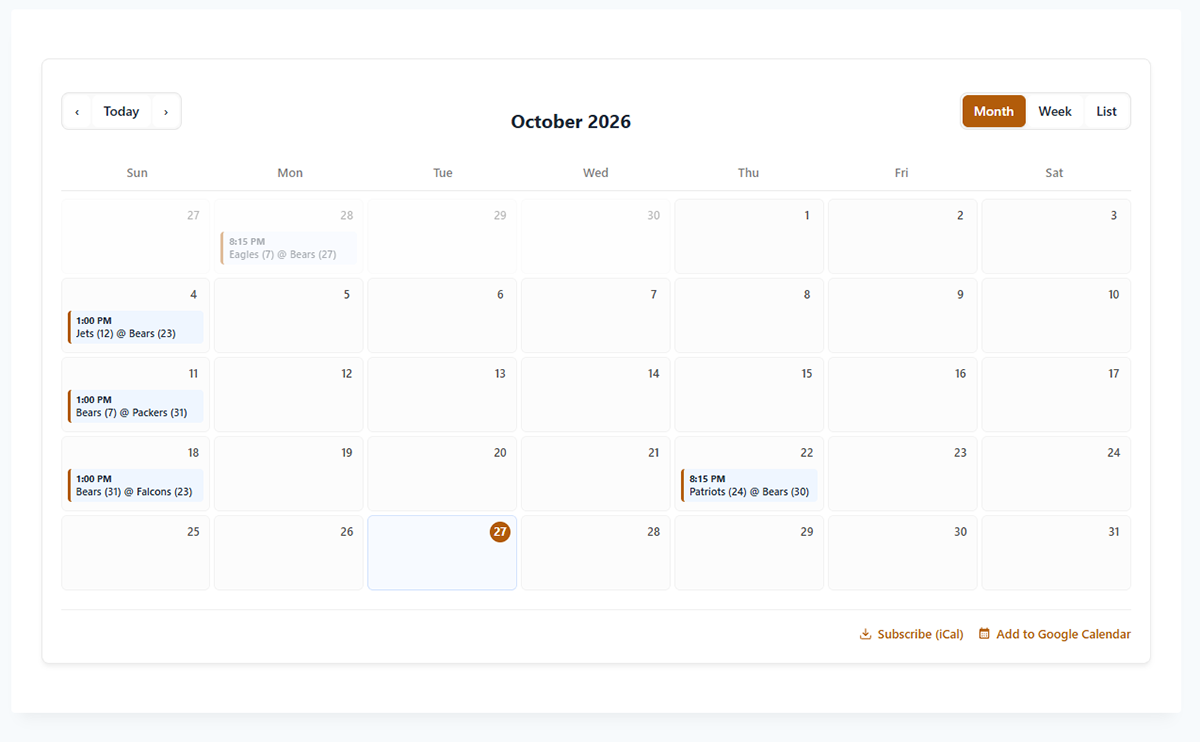
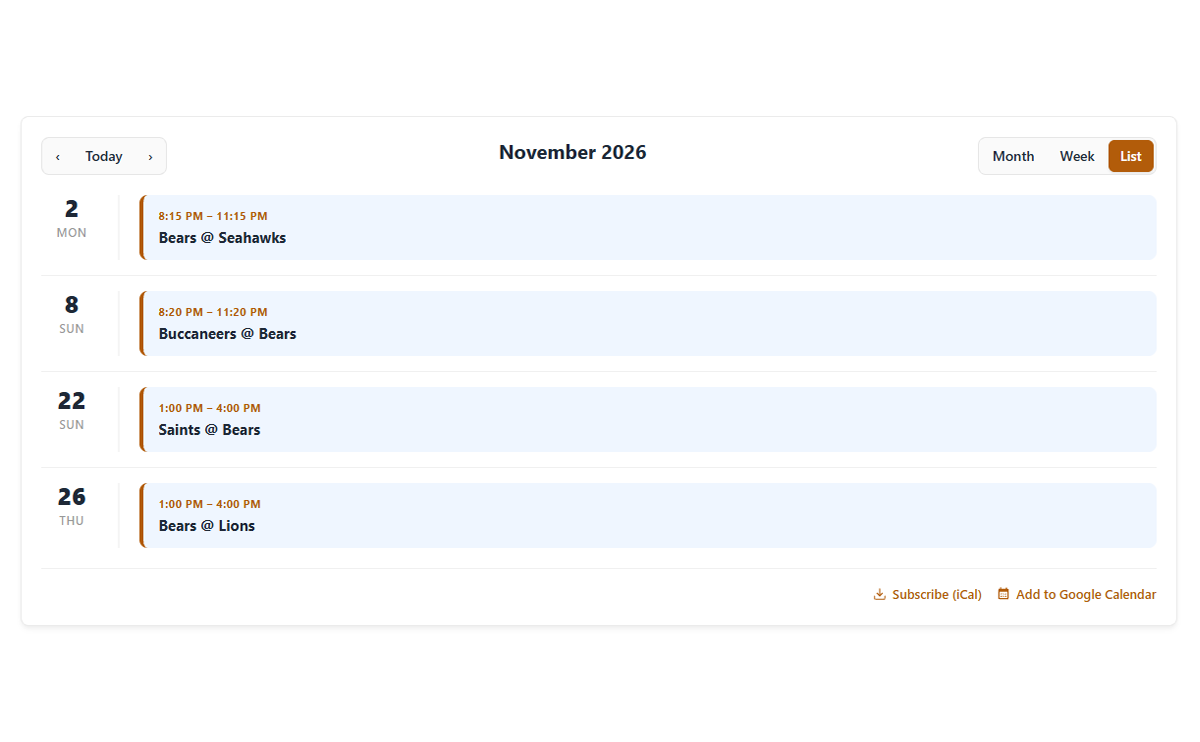
Month, Week & List Views
Visitors switch views with one click. Pick which one shows first, site-wide or per calendar.
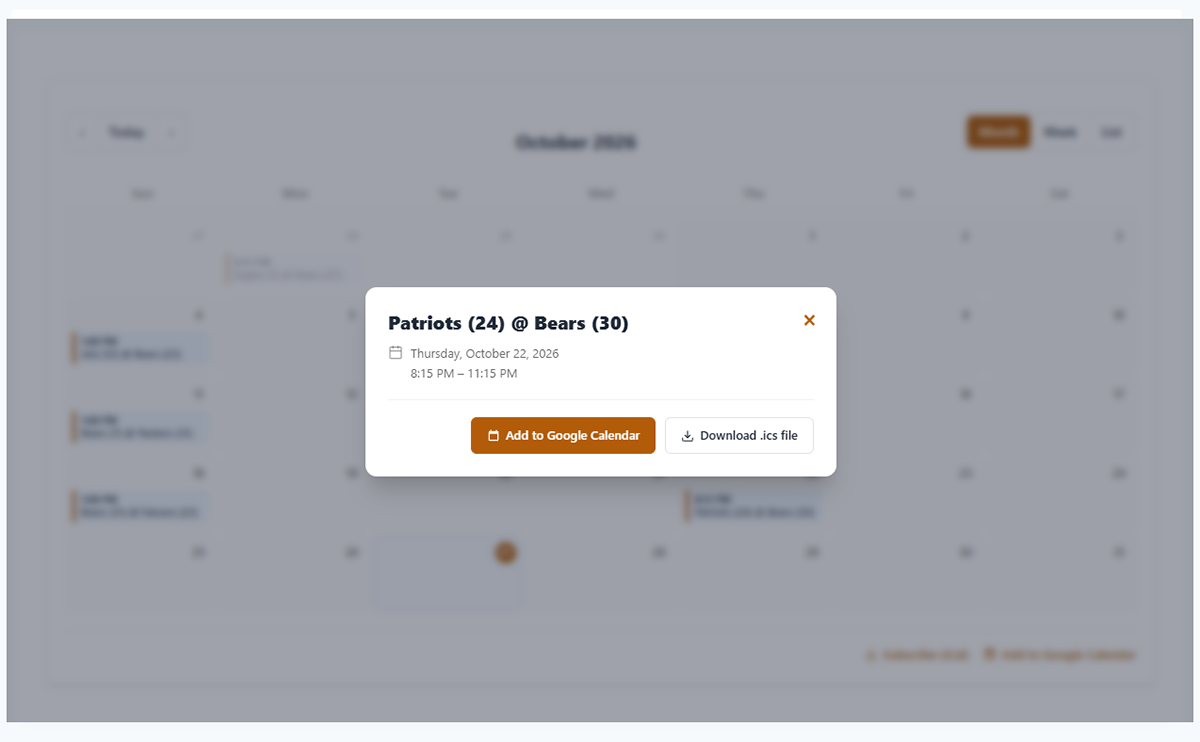
Event Details Pop-Up
Click any event to see the date, time, location with a map link, and the full description.
Add to Their Calendar
“Add to Google Calendar” and .ics download buttons on every event, plus subscribe links for the whole calendar.
Recurring Events Done Right
Weekly services, “second Tuesday” meetings, “last Friday” events, plus single dates you moved or cancelled.
Your Site’s Time Zone
Everyone sees the same schedule. A 10 AM event reads 10 AM whether your visitor is down the street or across the country.
Your Colors
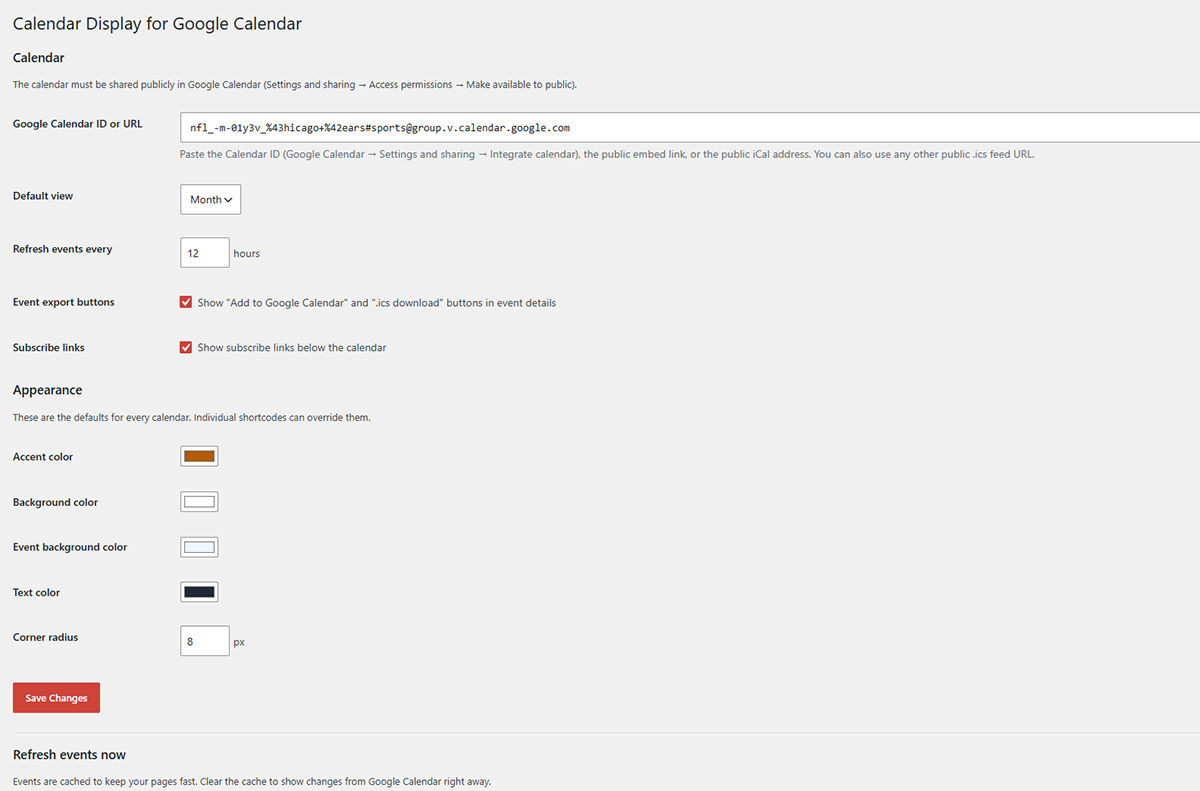
Set the accent, background, event and text colors and the corner radius to match your brand.
No API Key
Paste your Calendar ID or link and you’re done. Works with any public iCal feed, not just Google.
Fast & Reliable
Events are cached, files load only on pages with a calendar, and if Google hiccups the last good copy keeps showing.
Mobile & Accessible
Looks right on phones, works with a keyboard, and every label can be translated.
See It in Action
Who It’s For
- Churches and ministries. Services, small groups, volunteer schedules and special events.
- Schools, clubs and teams. Game schedules, practices, meetings and fundraisers.
- Membership sites and coaches. Live calls, webinars, office hours and launch dates.
- Local businesses. Classes, workshops, open houses and holiday hours.
Get Started in Five Minutes
- In Google Calendar, open your calendar’s Settings and sharing and turn on Make available to public.
- Copy the Calendar ID from the Integrate calendar section.
- In WordPress, go to Plugins ? Add New, search for Calendar Display for Google Calendar, then click Install Now and Activate.
- Open Settings ? Calendar Display, paste your Calendar ID, pick your colors and save.
- Add the shortcode
[cdgc_calendar]to any page, post or widget.
Frequently Asked Questions
Do I need a Google API key?
No. The plugin reads your calendar’s public feed, the same one Google gives anyone who subscribes. There’s nothing to connect and no account to authorize.
The calendar says it isn’t public. What do I do?
In Google Calendar, open the calendar’s Settings and sharing page and turn on Make available to public. Changes can take a few minutes to reach the public feed.
I changed an event and it hasn’t updated yet.
Events are cached to keep your pages fast. Go to Settings ? Calendar Display and click Clear calendar cache, or set a shorter refresh time.
Can I show more than one calendar?
Yes. Add url="your-calendar-id" to any shortcode to show a different calendar on that page, for example [cdgc_calendar url="team@group.calendar.google.com" view="list"].
Does it work with sports schedules and holiday calendars?
Yes. Google’s built-in sports, holiday and other public calendars work, including the ones with unusual IDs that trip up other plugins.
Which time zone are times shown in?
Your site’s time zone, from Settings ? General. The first day of the week follows your site setting too.
Is it really free?
Yes. Calendar Display for Google Calendar is free and open source (GPLv2 or later) and available from the official WordPress.org plugin directory.
Where can I get help or suggest a feature?
Use the support forum on the plugin’s WordPress.org page, or contact me here.
Like This Plugin?
Calendar Display for Google Calendar is free and always will be. If it saved you time or made your site look better, a small tip helps keep it updated.
Need more than a plugin? WP Just Fix It handles WordPress fixes and maintenance, and I can build a custom app or plugin for you.
About the Creator
Calendar Display for Google Calendar was created by Frank Deardurff, a WordPress developer with more than 20 years of building websites and web software. Frank also created PayBlue, Yurpl, SupportDsk and PushTimer, along with free tools like CSS Generator.
Need something custom for your WordPress site? Let’s talk about building it.
This plugin is not affiliated with or endorsed by Google. Google Calendar is a trademark of Google LLC.