
The Google Business Profile Playbook: A Local SEO Guide for Small Businesses
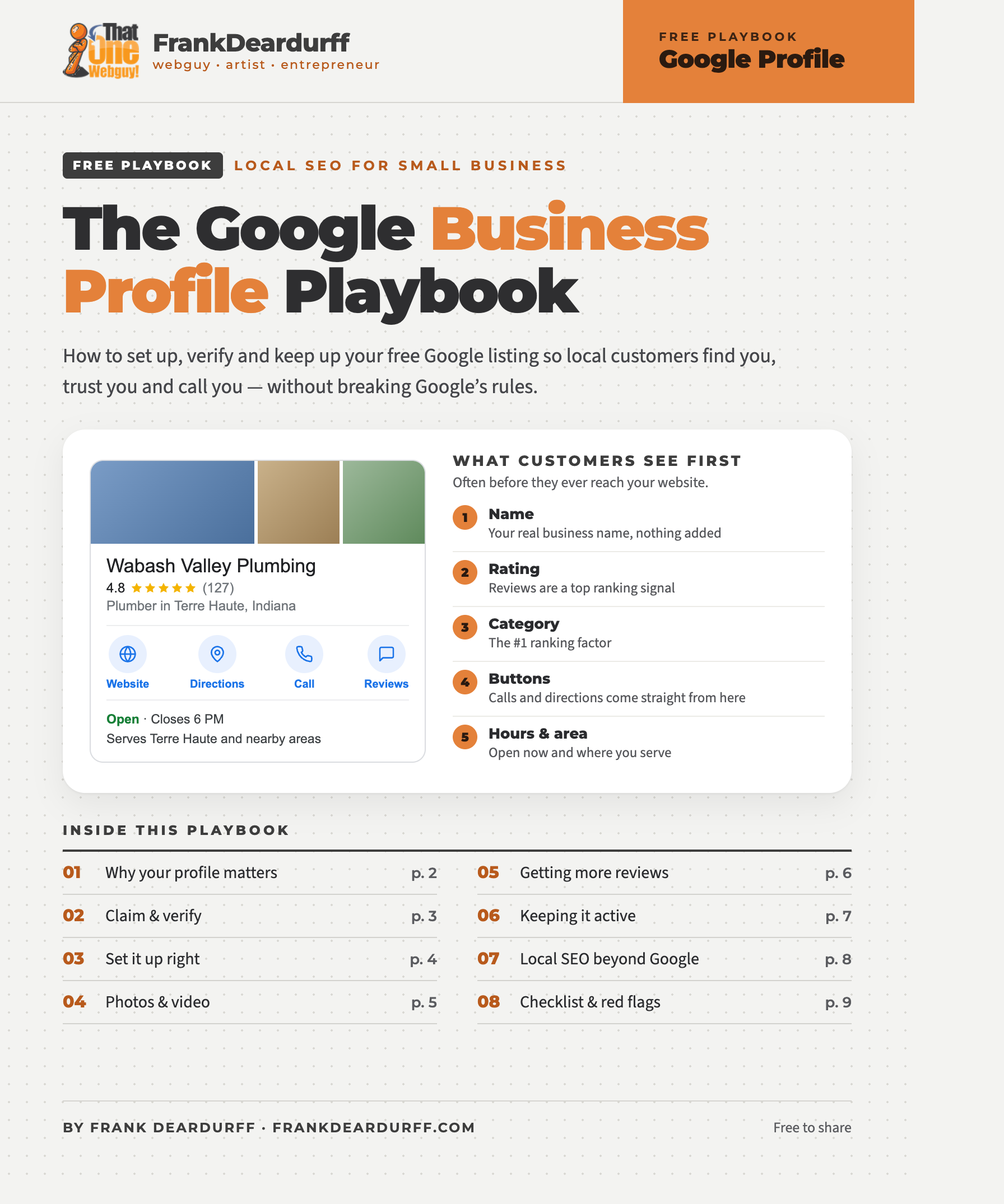
Free 9-page playbook · local SEO for small business
How to set up, verify and keep up your free Google Business Profile (the listing many people still call Google My Business) so local customers find you, trust you and call you, without breaking Google’s rules. Includes a one-time setup checklist, a monthly routine and the red flags that get profiles suspended.
Download the free PDFWhy your Google Business Profile matters
When someone searches “plumber near me,” Google shows a map with three businesses before any regular website results. That box is called the map pack, and your free Google Business Profile is your ticket into it. Google picks those three based on relevance (how well your profile matches the search), distance (how close you are) and prominence (how well-known and trusted you are).
What local SEO pros say matters most
Top map-pack ranking factors from Whitespark’s 2026 survey of local search experts.
The catch
Keywords in your business name help rankings, and they also get profiles suspended. Google only allows your real-world name. Fill in your categories and services instead.
How to claim and verify your Google Business Profile
Search for your business
On Google or Maps. It may already exist, because customers and Google can add listings.
Claim it or add it
Use “Own this business?” or business.google.com.
Enter the basics
Name, category, address or service area, phone and website.
Verify
Google picks the method: video, postcard, phone or text, email, or instant if you verified your website in Search Console.
Video verification: what to film
One continuous clip with no edits or cuts. Show where you are (street signs or building number), what you do (signage, branded vehicle, tools or equipment) and proof it’s yours (unlocking the door or truck, staff-only areas, a business license or utility bill).
Never start over
If verification fails or gets stuck, don’t create a second profile. Duplicates are a top reason profiles get suspended. Fix what doesn’t match, then retry or contact Google support with your documents.
Set up your profile the right way
Your business name
Use your real-world name, exactly as it appears on your sign, truck and paperwork.
Where you serve customers
Storefront: customers come to you. Show your address; it needs permanent signage and staff during your hours.
Service area: you go to customers. Hide your address (working from home is fine) and pick up to 20 cities or ZIP codes within about 2 hours’ drive.
Hybrid: both. Show your address and add the areas you travel to.
No P.O. boxes, mailbox stores or virtual offices, and one profile per location.
- Categories: pick the most specific primary category, and add only the extras that are truly core.
- Description: up to 750 characters on what you do, who you serve and where. No links or hype.
- Services and products: list every service by name, with a short description and price if you can.
- Hours: regular and holiday hours. Being open when someone searches is a ranking factor.
- Attributes and links: payment types, accessibility, veteran-owned and more, plus your website, booking or quote link and social profiles.
Google Business Profile photo and video sizes
| Media | Requirement |
|---|---|
| Photo format | JPG or PNG |
| Photo file size | 10 KB to 5 MB |
| Photo resolution | 720 × 720 px recommended, 250 × 250 px minimum |
| Video length | Up to 30 seconds |
| Video file size | Up to 75 MB, 720p or higher |
Your shot list: logo, cover photo, exterior, inside, team, your work, vehicles and products. Use real photos, not stock, and add a few new ones every month. Need sizes for other platforms? See the free Social Media Size Cheat Sheet.
How to get more Google reviews (by the rules)
Your star rating and review count are two of the biggest ranking factors, and they’re what customers read before they call. The secret is simply to ask, every time: finish the job, ask in person, send your review link by text, email or a QR card, and reply to every review within a few days. To get your link, search for your business on Google while signed in, click Read reviews, then Get more reviews, and copy the link or download the QR code.
What to say
“Hi Linda, thanks again for choosing Wabash Valley Plumbing today! If you have a minute, we’d love to hear how we did: [your review link]. Dave”
Never do this
Offer discounts or freebies for reviews, ask only your happy customers (“review gating”), review yourself or have staff or family do it, pressure customers for 5 stars, or buy or swap reviews.
Keep your profile active
A simple monthly routine takes about 20 minutes a week: week 1 post an update, week 2 add 3 to 5 new photos, week 3 reply to reviews, week 4 check your hours, info and any suggested edits. Then check your Performance page for calls, direction requests and website clicks.
The Q&A section is gone
Google retired profile Q&A starting in late 2025. Now Google’s AI answers customers’ questions in Maps using what it finds about you: your profile details, your reviews, your website (especially an FAQ page) and your posts. The more complete those are, the better the answers.
Local SEO beyond Google
Google cross-checks your profile against the rest of the web. Keep your name, address and phone (NAP) spelled exactly the same on your website, Facebook, Bing Places, Apple Business Connect, Yelp, the BBB, your chamber of commerce and industry sites. On your website, give each main service and each town you serve its own page, put your NAP in the footer, add an FAQ page and use local business schema. For your logo, colors and voice, see the free Brand Message Playbook.
Your Google Business Profile checklist
One-time setup
- Profile claimed and verified
- Real business name, no extras
- Most specific primary category
- Address shown or hidden correctly
- Service areas set (up to 20)
- Hours and holiday hours
- Every service listed
- 750-character description
- Logo, cover and 10+ real photos
- Review link and QR code ready
Suspension red flags
- Keywords or city in your name
- P.O. box, mailbox store or virtual office
- A second or duplicate profile
- Big name, address and category changes all at once
- Fake, paid or swapped reviews
- A website or listings that don’t match
Suspended? Don’t make a new profile. Fix the problem, then appeal with proof like a business license, utility bill or photos of your signage.
Checked October 2026. Google changes Business Profile features often, so check Google’s Business Profile Help pages for the latest rules.
Keep it by your desk
Get the free 9-page playbook
Every step on this page plus the setup and monthly checklists, review scripts and a 15-minute profile checkup.
Want it done for you?
Get A Local Website sets up and manages Google Business Profiles for Terre Haute and Wabash Valley businesses.
More from the free playbook library
The Brand Message Playbook and Social Media Size Cheat Sheet, plus prompt playbooks for Microsoft Copilot, Claude, ChatGPT, Google Antigravity, Gemini and Meta AI. See the full library.
Free to share and print. See the copyright and sharing policy. Google and Google Business Profile are trademarks of Google LLC; this guide is independent and not affiliated with Google.