
I’m Finally Sharing My Toolbox
I’m Finally Sharing My Toolbox, Starting with Calendar Display for Google Calendar
Over my time online, I’ve always been a “What if” kind of guy. As a web guy, I see a lot of challenges that website and business owners run into, and many times there isn’t a solution readily available. It may not be the first time someone has faced that problem. But when it lands on my desk, I feel it’s my responsibility as their web/tech guy to give them what they want. So I do my due diligence looking for an existing solution, and when there isn’t a good one, I find a way to make it happen. I’ll spare you the details here, but I share more of that story on my about page.
Why am I telling you this now? Over the years, I’ve built up a collection of these tools that I’ve never shared, and I’ve decided to change that. Many of them will be free, published to the WordPress plugin repository. Others, the bigger tools that took more time to develop, I’ll list for sale on my website.
The first one I’ve released is Calendar Display for Google Calendar. Yes, there are others out there. But in many cases they conflicted with something on my customers’ websites, and in testing they just didn’t work as well as I thought they should. A good plugin needs to play well with others. Every plugin you add can cause a conflict behind the scenes that you never see. That conflict can still affect things like page load times, and slow pages cost you customers.
Why I Built It
Google’s own embed drops a boxy iframe onto your page that doesn’t match your site and doesn’t look great on phones. Most calendar plugins fix that by having you set up a Google API key, and then they sell the features you actually need as separate add-ons.
I ran into this on a membership site I manage. Its calendar needed three plugins working together, and an update to one of them kept breaking the whole site. So I replaced all three with one plugin that does the job on its own.
How It Works
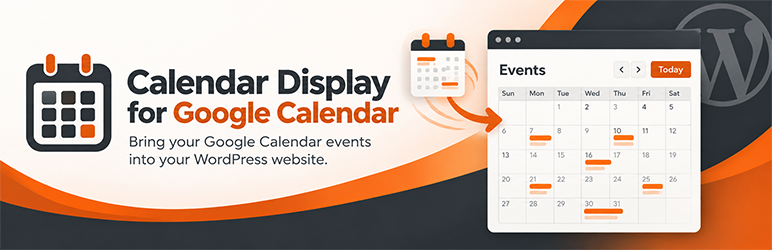
Calendar Display for Google Calendar reads your calendar’s public feed, so there’s nothing to connect and no API key to manage. You keep adding events in Google Calendar like you always have, and they show up on your site automatically. Speaking of design, you can set the colors and format to match your site exactly.
You can get this free plugin on my website or from the WordPress repository.
Got a “What If” of Your Own?
If you have a challenge on your website that needs a second look, or an idea for a product or service, let’s talk. I offer a couple of collaboration options that could help you, or help both of us profit from that idea. And if it’s just a website fix, I’m certain I can knock that out quickly as well. Visit the Work with Frank page to see how we can work together.
