
ChatGPT Prompting Guide for Beginners
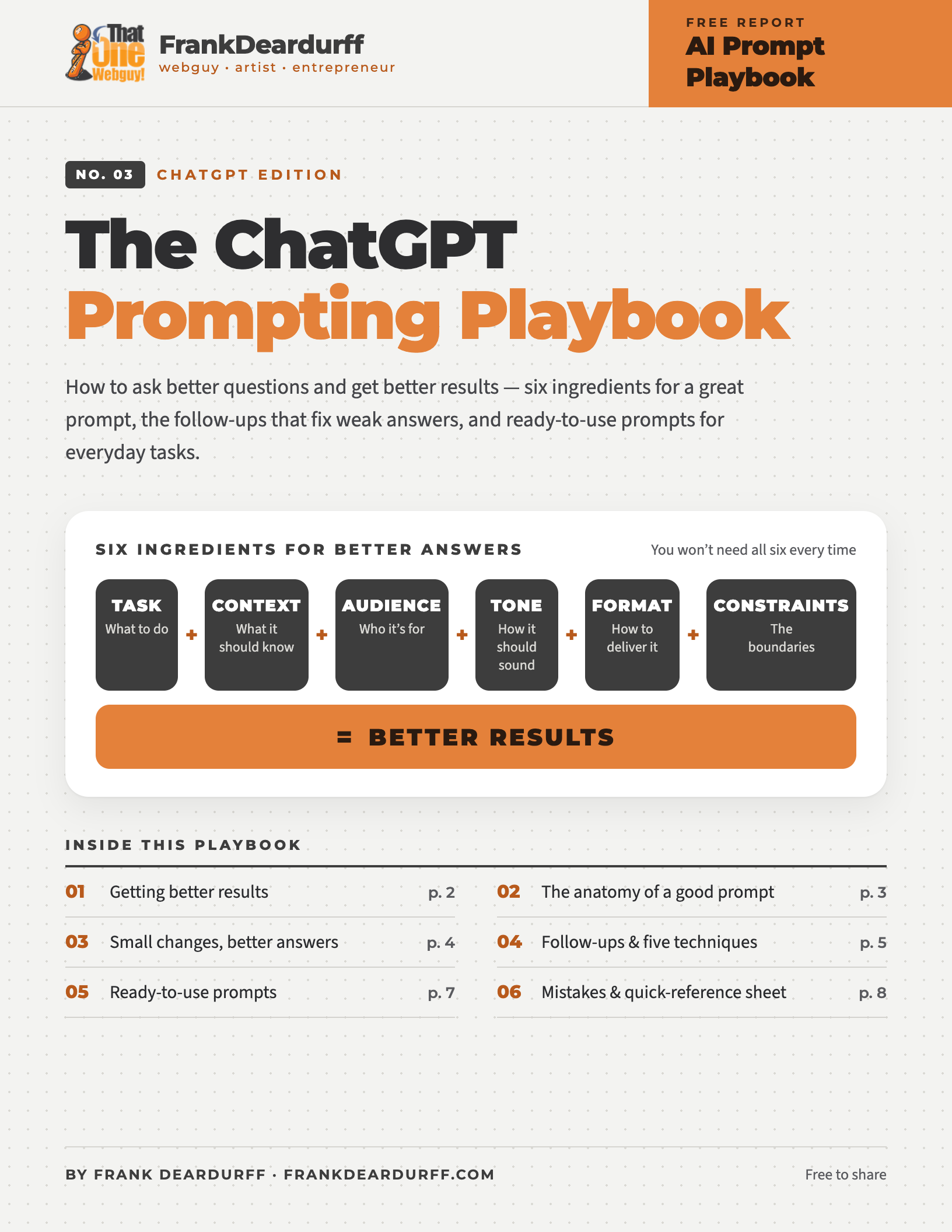
Free 9-page playbook
Have you ever asked ChatGPT a question and gotten an answer that wasn’t quite what you wanted? Too generic, too complicated, or off the mark? This free playbook shows you how to ask better questions and get better results, with no special commands or jargon.
Download the free PDFIt’s not just what you ask. It’s how you ask.
ChatGPT doesn’t automatically know what you’re thinking. It doesn’t know your goals, your experience, or what you consider a good answer unless you tell it. The clearer your instructions — your prompt — the more useful the result.
Think of it this way
“Make me a flyer.”
Ask a person this and they’ll have a dozen questions.
The six ingredients of a good prompt
You won’t need all six every time. But when you want something specific, these make a big difference.
What do you want it to do?
Be specific: an explanation, an email, a plan, a comparison, or ideas?
What does it need to know?
Your situation, the problem you’re solving, and what you’ve already tried.
Who is this for?
A beginner, a professional, customers, coworkers, or friends.
How should it sound?
Friendly, professional, humorous, conversational, or straightforward.
How do you want the answer?
A short paragraph, step-by-step guide, comparison table, or checklist.
What are the boundaries?
Word counts, budgets, deadlines, things to include or avoid.
A simple prompt formula — copy it, fill in the brackets
Help me [TASK]. Here’s my situation: [CONTEXT]. This is intended for [AUDIENCE]. Use a [TONE] style and present it as [FORMAT]. Be sure to [REQUIREMENTS OR LIMITATIONS].
Small changes, better answers
01 · Writing
Basic
“Write an email to my customers.”
Better
“Write a friendly email to customers who haven’t purchased from my business in six months. Let them know we have new services available and invite them to visit our website. Keep it under 150 words and avoid pushy sales language.”
02 · Learning
Basic
“Explain SEO.”
Better
“Explain search engine optimization to someone who owns a small business but has no technical experience. Use everyday examples, explain why it matters, and suggest three simple things I can do to improve my website.”
03 · Problem-solving
Basic
“My computer is slow. How do I fix it?”
Better
“My Windows 11 laptop has become noticeably slower over the last two weeks, especially when opening programs. I’ve already restarted it and checked for updates. Walk me through the most likely causes and help me troubleshoot one step at a time.”
04 · Brainstorming
Basic
“Give me business ideas.”
Better
“Suggest 10 small business ideas I could start from home with less than $500. I have experience in customer service and basic computer skills. Focus on ideas I could test part-time before investing more money.”
The conversation is where the magic happens
The biggest beginner mistake is treating ChatGPT like a search engine: ask, get an answer, stop. Instead, tell it what you liked, what you didn’t, and what needs to change. If an article sounds stiff, just reply: “That’s a little too formal. Make it sound more like a conversation between two friends.”
Ten follow-up prompts worth remembering
Another useful trick
If ChatGPT seems to misunderstand you, have it ask you questions first:
Before you answer, ask me any important questions that would help you provide a more useful recommendation. Ask them one at a time.
Five prompting techniques that work
Tell ChatGPT what perspective would be useful.
“Act as an experienced customer service trainer. Help me improve the following response to an unhappy customer.”
A useful point of view — not a certified professional or guaranteed expert accuracy.
Show a sample of the result you want.
“Here’s an example of my writing. Study the tone and sentence structure, then rewrite my new article in a similar style without copying the original.”
Explain what matters to you.
“Compare these three options based on price, ease of use, ongoing costs, and reliability. Show the results in a table and recommend the best fit for my needs.”
ChatGPT can be too agreeable. Invite criticism.
“Don’t automatically agree with my idea. Identify weak points, hidden costs, risks, and assumptions that might be incorrect. Suggest how to improve it.”
“Help me develop a plan for this project. Start with an outline. Once we agree on the direction, we’ll work through each section individually.”
This gives you more control over the final result and makes corrections easier along the way.
Ready-to-use prompts for everyday tasks
Copy one, replace the [bracketed] parts with your details, and send.
Learn a new skill
Teach me the basics of [TOPIC]. Assume I’m a beginner. Explain the most important concepts using simple examples. Then create a seven-day learning plan with one small exercise each day.
Improve your writing
Review the following text for clarity, grammar, and readability. Make it more natural and engaging while preserving my original meaning and personality. Explain your most important changes. [PASTE TEXT]
Make a difficult decision
Help me decide between [OPTION A] and [OPTION B]. My priorities are [PRIORITIES], and my biggest concerns are [CONCERNS]. Compare the advantages, disadvantages, costs, and risks. Recommend an option and explain why.
Solve a problem
I’m having trouble with [PROBLEM]. Here’s what is happening: [DETAILS]. I’ve already tried [STEPS]. Help me identify the most likely causes and guide me through troubleshooting one step at a time.
Brainstorm ideas
Give me 10 creative but practical ideas for [GOAL]. My available budget is [BUDGET], and my limitations are [CONSTRAINTS]. Avoid generic suggestions. Explain the three ideas you believe have the most potential.
Create a practical plan
Help me accomplish [GOAL] within [TIMEFRAME]. My starting point is [CURRENT SITUATION]. Create a realistic action plan with clear priorities, milestones, and specific steps I can begin today.
Common mistakes to avoid
Prompts that encourage more reliable answers
Put what you’ve learned to work
Start small. Ask ChatGPT to explain a subject, improve an email, organize an idea, or solve an everyday problem, then improve the answer with a follow-up. The more you practice explaining what you want, the more useful ChatGPT becomes.
Keep it by your desk
Get the printable 9-page playbook
Includes a one-page cheat sheet with the formula, five self-check questions, and the follow-ups that improve almost anything.
More free AI playbooks
- Microsoft Copilot Prompt Playbook
- Claude Prompt Playbook
- Gemini Quick-Tip Playbook
- Meta AI Quick-Tip Playbook
- Google Antigravity Quick-Tip Playbook
Free to share and print. See the copyright and sharing policy. ChatGPT is a trademark of OpenAI; this guide is independent and not affiliated with OpenAI.