
Meta AI Tips for Beginners: The Quick-Tip Playbook
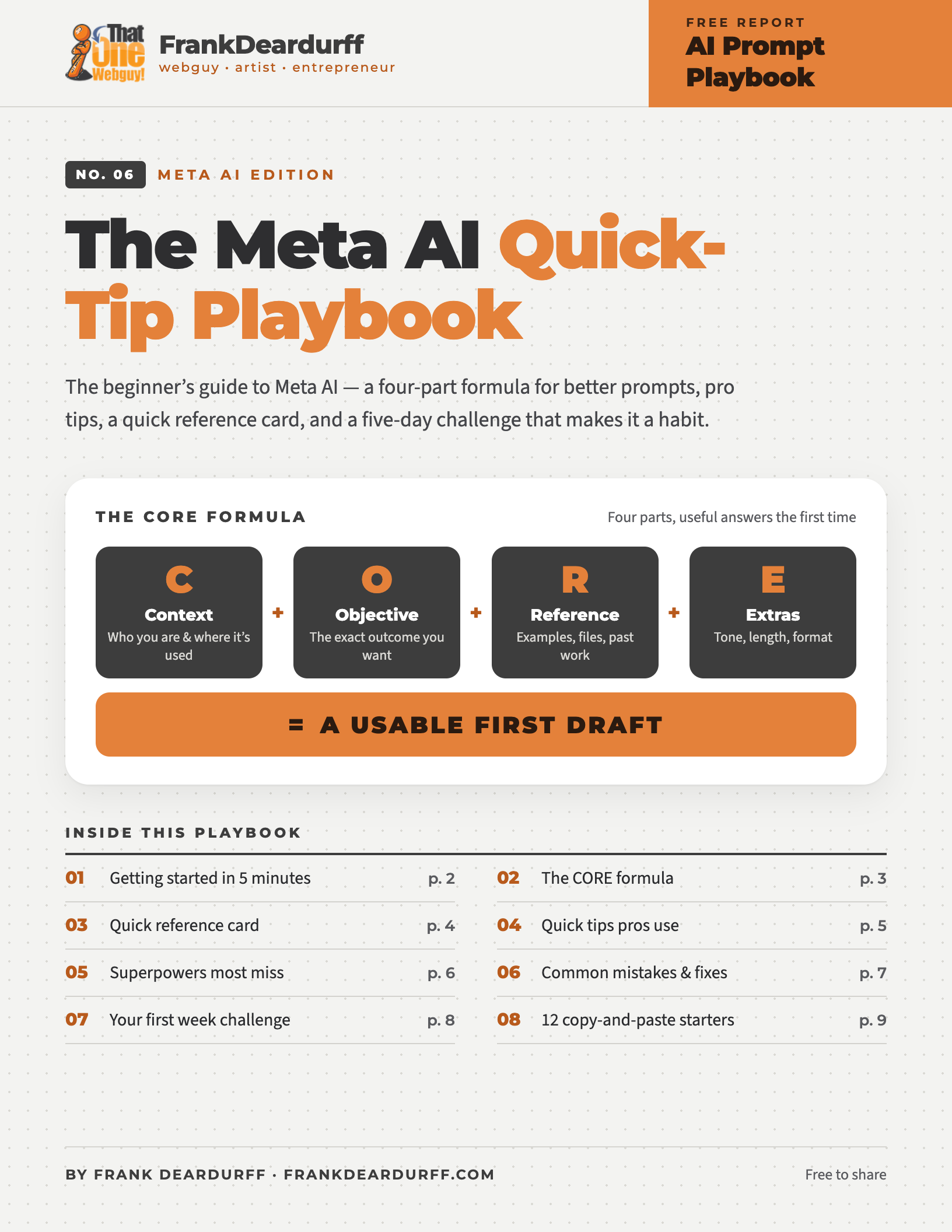
Free 9-page playbook
Meta AI is built into meta.ai, the Meta AI app, Facebook, Instagram, WhatsApp, and Messenger. This free beginner’s playbook gives you a four-part prompt formula, a quick reference card, pro tips, and a five-day challenge that makes it a habit.
Download the free PDFGetting started in 5 minutes
Learn these three moves and you’ve covered most everyday use:
ASK
Answers, research, and explanations — think search, but conversational.
“Explain how a Roth IRA works like I’m 25 and just starting out.”
CREATE
Images, documents, emails, and presentations.
“Create a one-page flyer for my bakery with our menu and hours.”
DO
Plan, organize, analyze, and make checklists.
“From this screenshot, make a 5-bullet action list with owners.”
The CORE formula
Vague prompts get vague guesses. Good prompts have four parts — use CORE and you’ll get useful answers the first time.
C
Context
Who you are and where it’ll be used.
“I’m a small café owner writing to my landlord…”
O
Objective
The exact outcome you want.
“I need a 3-paragraph email that asks for…”
R
Reference
Examples, files, links, past work.
Upload a screenshot or say “like this, but…”
E
Extras
Tone, length, format.
“Tone: warm. Format: table. Under 150 words.”
✕ Vague
“Write a post about my business.”
No context → a generic result you’ll rewrite three times.
✓ CORE
Context: I run a 12-seat bakery. Objective: An Instagram caption for our new cardamom buns. Reference: A past caption is below. [PASTE] Extras: Warm tone, 2 emojis max, end with a call to pre-order.
→ A usable, on-brand first draft.
Quick reference card
Commands to say
“Show me as a table / checklist / calendar.”
“Make it shorter / bolder / friendlier.”
“Explain that again, but simpler.”
“Give me 3 versions: safe / bold / weird.”
Quick starts
Images: start with “Create an image of…”
Voice: tap the mic in the Meta AI app and talk
Files: attach a photo or screenshot to analyze it
Nine quick tips pros use
01
Talk to it like a smart friend
It’s not a search box. Say “I’m stuck on…” and explain what you’ve tried.
02
Stack your requests
“Do X, then make it shorter, then turn it into slides.” One chat, three outputs.
03
Share images & screenshots
Photos of notes, screenshots, charts — “What’s wrong with this chart?” works.
04
Ask for a format
End with “Show as a table / checklist / calendar / email draft.” It saves editing time.
05
Ask it to remember
“Remember I prefer concise bullets.” It can carry that into future chats.
06
Let it personalize
In the US and Canada it can use what you’ve shared on Facebook and Instagram to tailor answers.
07
Refine, don’t restart
“Try again, but make the intro punchier.” Iterating beats starting a new chat.
08
Use your voice
In the Meta AI app, tap the mic and just talk. Great for brainstorming on the go.
09
Ask for sources
Add “with sources” when facts matter. It can search the web — then check the links.
Some features — like voice, personalization, and file uploads — vary by country and app. If you don’t see one yet, it may not have reached you.
Superpowers most beginners miss
Beginners use it like a search box. Pros use it like a studio. Most people miss these simply because they never ask — so just say “Can you make…”
Make images from text, then edit: “Change the background to studio beige, keep the croissant sharp.”
Try saying
“Create an editorial photo of cardamom buns on parchment, morning light, top-down, no text.”
Ask for a one-pager, report, or plan. In some countries you can export it as a PDF.
Try saying
“Create a one-page summary for my bakery’s investors with a headline, three key numbers, and our ask.”
Point it at a photo, receipt, chart, or screenshot and ask what it means.
Try saying
“Here’s a photo of my utility bill. Explain each charge in plain English.”
Rolling out in select markets: connect your calendar and email for a daily briefing or to catch double-bookings.
Try saying
“Summarize my calendar this week and suggest 2 focus blocks.”
Paste messy data and ask it to clean, chart, and explain what it did, step by step.
Try saying
“Here’s my sales data [paste]. Clean it, find the monthly trend, and explain it simply.”
Common mistakes and fast fixes
Mistake
Vague prompts
“Help with marketing.”
Fix: add an example and an audience
“Here’s my last email [paste]. Write the next one for lapsed customers. Goal: get them to re-order.”
Mistake
One giant prompt
A 500-word mega-prompt with five goals.
Fix: break it into steps
Step 1: “Summarize this.” Step 2: “Turn it into 3 LinkedIn posts.” Step 3: “Make the boldest version.”
Mistake
Not correcting it
Starting a new chat when it misses.
Fix: tell it what was wrong
“Close, but the tone is too formal. Try again: warm, like talking to a neighbor, shorter sentences.”
Mistake
No format request
A wall of text you have to reformat.
Fix: name the output
“Return as: Title | 3 bullets | button text | image prompt.”
Your first week challenge
Don’t try to master it. Get one small win a day — five days, five habits that stick.
Plan your day · 5 min · Win: a usable day plan
“It’s 8:30am. I have [meetings / tasks]. I want to [goal]. Plan my day with breaks and one deep-work block.”
Generate an image · 3 min · Win: you see Create mode click
“Make an image of [your product / idea / mood board] in editorial style, soft light, no text.” Then: “Make 2 more variants.”
Share & summarize · 7 min · Win: it can read your stuff
Share a screenshot, photo, or document and ask: “Summarize into 5 bullets + what I should do next.”
Create something real · 10 min · Win: something you’ll actually use
“Create a [recipe from what’s in my fridge / workout for a small apartment / rainy-weekend itinerary]. Format as a checklist.”
Teach yourself something · 10 min · Win: you feel the power of Ask
“Teach me [a topic you’ve avoided]. Explain it simply, quiz me, and correct me kindly.”
Keep it by your desk
Get the printable 9-page playbook
Includes 12 more copy-and-paste prompt starters. Pick one today and one more tomorrow — in a week you won’t need the sheet.
More free AI playbooks
- ChatGPT Prompting Playbook
- Microsoft Copilot Prompt Playbook
- Claude Prompt Playbook
- Gemini Quick-Tip Playbook
- Google Antigravity Quick-Tip Playbook
Free to share and print. See the copyright and sharing policy. Meta AI is a trademark of Meta Platforms, Inc.; this guide is independent and not affiliated with Meta.