
Microsoft Copilot Prompts: A Beginner’s Playbook
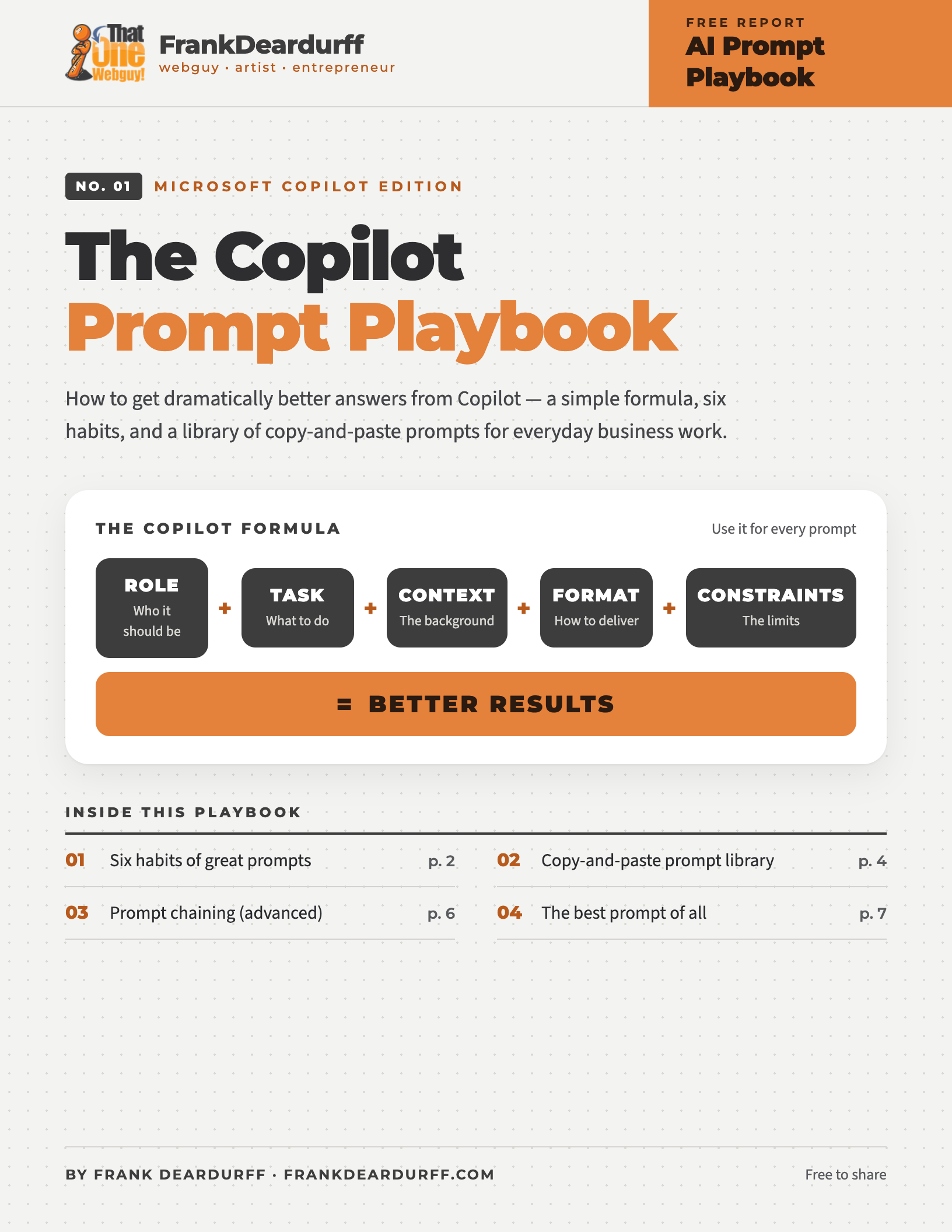
Free 7-page playbook
If Copilot is the AI tool your workplace allows, you can still get excellent results from it. This free playbook gives you a simple formula, six habits, and a library of copy-and-paste Microsoft Copilot prompts for everyday business work.
Download the free PDFThe Copilot formula
Instead of
Write me a blog post about SEO.
Use this
Act as an SEO strategist. Write a 1,200-word blog post for small business owners explaining local SEO. Use simple language, include examples, create H2 and H3 headings, and end with 5 actionable tips. The tone should be professional but approachable.
Six habits of great Copilot prompts
Bad
Create a marketing plan.
Good
Act as a CMO for a software startup and create a 90-day marketing plan.
Try: Marketing Director, CEO, Web Developer, HR Manager, Attorney, Accountant, Project Manager, Customer Support Manager, SEO Consultant.
Bad
Write an email.
Good
Write an email to a client who has missed two invoice payments. Maintain a friendly tone while clearly requesting payment within 10 business days.
Include audience, industry, company size, goals, obstacles, and past conversations.
Bad
Explain AI.
Good
Explain AI using a simple analogy, 3 bullet points, a real-world example and a one-sentence summary.
Format as a bullet list, table, executive summary, email, proposal, checklist, FAQ, SOP, training guide, or presentation outline.
Bad
Write website copy.
Good
Write website copy similar in style to Apple: concise, benefit-focused, and easy to scan.
Or spell it out: conversational language, 6th-grade reading level, short paragraphs, strong calls to action.
One example can dramatically improve output.
Rewrite descriptions in this format: Example: “Fast website hosting with daily backups.” Now rewrite: “Our system stores files securely and can be accessed from multiple locations.”
Don’t start over. Steer with short follow-ups:
Copy-and-paste Copilot prompt library
Copy one, replace the [bracketed] parts with your details, and send.
The “Make This Better” prompt
Act as a professional editor. Review the following content and improve: – clarity – readability – engagement – persuasiveness – grammar Then explain the key improvements made. [PASTE CONTENT]
The universal business prompt
Act as a senior business consultant. Analyze the following situation and provide: 1. Key issues 2. Risks 3. Opportunities 4. Recommended actions 5. Priority order Situation: [PASTE HERE]
Email prompt template
Write an email to [AUDIENCE]. Goal: [GOAL] Tone: [FRIENDLY / PROFESSIONAL / FORMAL] Length: [SHORT / MEDIUM / DETAILED] Include: [SPECIFIC POINTS]
Meeting summary prompt
Summarize this meeting. Provide: – Key discussion points – Decisions made – Open questions – Action items – Responsible parties – Deadlines [PASTE NOTES]
Excel prompt
You are an Excel expert. Explain how to: [TASK] Provide: – Formula – Step-by-step instructions – Common mistakes – Alternative approaches
Coding prompt
Act as a senior software developer. Create: [FEATURE] Requirements: [DETAILS] Provide: – Complete code – Comments – Error handling – Security considerations – Explanation
Research prompt
Research the following topic. Provide: – Executive summary – Key findings – Advantages – Disadvantages – Best practices – Sources Topic: [TOPIC]
SEO prompt
Act as an SEO consultant. Analyze this page: [URL OR CONTENT] Provide: – SEO score – Missing keywords – Content gaps – Meta title – Meta description – Header structure – Improvement recommendations
Website audit prompt — a favorite for any site owner
Act as a UX, SEO, and conversion optimization expert. Audit this website: [URL] Provide: 1. First impressions 2. UX issues 3. SEO issues 4. Accessibility issues 5. Conversion issues 6. Quick wins 7. High-impact improvements
Advanced: prompt chaining
Most people ask one giant question. Power users break the job into stages, and the results are usually much better.
Step 1
Create an outline for a guide about local SEO.Step 2
Expand section 1.Step 3
Add examples.Step 4
Create a checklist from the guide.Step 5
Turn that checklist into a client worksheet.The magic question
“What information do you need?”
Whenever an answer isn’t good enough, ask this. Copilot will tell you what’s missing.
To improve this answer, what information would help you provide a significantly better result?
The best prompt of all
Don’t
✕ Be vague
✕ Ask several unrelated questions at once
✕ Assume Copilot knows your situation
✕ Accept the first answer every time
Do
✓ Give context ✓ Assign a role
✓ Specify the format ✓ Provide examples
✓ Refine as you go ✓ Ask for alternatives
The Frank Deardurff Rule
Talk to Copilot the way you’d brief a contractor. If you’d need to explain it to a human to get a good result, you need to explain it to Copilot.
Keep it by your desk
Get the printable 7-page playbook
Every habit, prompt, and checklist on this page in a clean PDF you can print or share with your team.
More free AI playbooks
- ChatGPT Prompting Playbook
- Claude Prompt Playbook
- Gemini Quick-Tip Playbook
- Meta AI Quick-Tip Playbook
- Google Antigravity Quick-Tip Playbook
Free to share and print. See the copyright and sharing policy. Microsoft Copilot is a trademark of Microsoft; this guide is independent and not affiliated with Microsoft.